Extra Sign-In Check
Use a second code on unfamiliar devices.

A player's setup notes
I first opened RM5555 after a friend mentioned it while we were comparing match markets over teh tarik. The login panel looked familiar, although I still wanted to know what happened after tapping it.
Once the account is ready, signing in takes roughly ten seconds. Registration takes a little longer, mainly because of the phone code, so I have laid out each part clearly for Malaysian users.
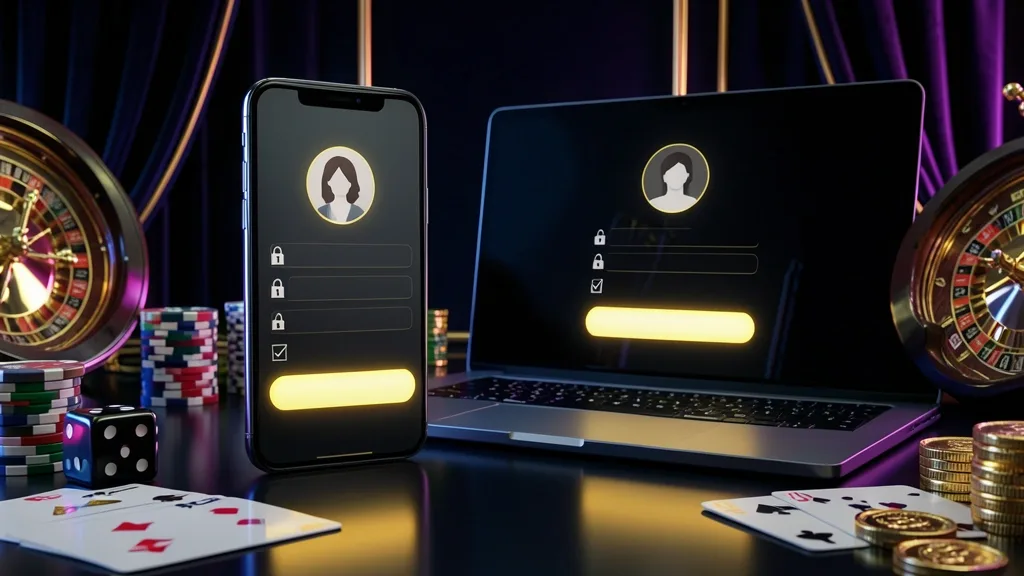
Open the RM5555 website or app and select Login from the upper corner. On a phone, it is usually visible before you scroll.
Enter the username or mobile number connected to your account, add the password, and confirm. If a verification prompt appears, use the code sent to your Malaysian number.
The available routes are:
| Access route | What you enter | Typical time |
|---|---|---|
| Phone and password | Number plus password | About 10 sec |
| Username and password | Username plus password | About 10 sec |
| App biometrics | Fingerprint or Face ID | About 2 sec |
When I use a family computer or a colleague's phone, I leave the stay-signed-in option off. It takes one extra tap and avoids leaving the account open.
Already registered? You can move from the RM5555 homepage to the casino area after signing in, or review sports betting when a match is about to start.
For a new account, have a Malaysian mobile number, the eWallet you normally use, and around two minutes available. Touch 'n Go eWallet, GrabPay, or Boost are familiar choices for many local users.
After activation, you can look around the casino lobby or open the slots catalogue before deciding whether to fund the account.
The registration screen does not normally ask for everything at once:
Keeping the first form to a phone number and password makes the opening process easier to follow.
Keep your phone nearby and work through these five actions in order:
That completes the basic setup. You can inspect the RM5555 app page if you prefer signing in from a mobile device.
Treat the account like a digital wallet. A few routine choices reduce the chance of someone else reaching it.
Good habits include:
Phishing pages may copy the colours and layout of the real site. A slightly altered address, an urgent message, or a request for your full password should make you stop and check.
Use a second code on unfamiliar devices.
Compare every character before entering details.
A forgotten password is usually manageable from the login screen. Keep access to the registered Malaysian number while you work through the reset.
The reset commonly takes around two minutes, and the code may stop working after about ten minutes.
If the message does not arrive, try these checks first:
A number change or manual review can take longer because support has to establish that the account belongs to you. Avoid opening a second account while the check is underway.
The code goes to your registered mobile number.
Support may request identity and account history.
RM5555 can be reached from a browser or app, but each option suits a different situation.
For everyday use in Malaysia, I would choose the app on a personal Android phone and the browser on an iPhone. I use a laptop when several match details need to stay visible together.
Check whether the app or browser saved your session.
Sign out and avoid saving the login form.
When the login screen keeps rejecting your details, use the support route that matches the problem:
Legitimate support should not need your password. Share only the information required to verify the account, and never send a login code to an unknown contact.

The RM5555 setup is straightforward for someone using a Malaysian phone number. The main steps are familiar: register, confirm the SMS code, create a password, and return to the login screen.
I would keep the registered number active, avoid saving the password on shared devices, and use the app only on a phone that belongs to me.
For a smoother routine, turn on the available account checks and keep support details ready if a number or password ever needs to be recovered.
You need a Malaysian mobile number, a password, and access to the SMS code sent during registration. Keep your account details accurate before submitting the form.
Browser access can be used on different devices, but an unfamiliar device may trigger an additional security check. Sign out from computers that other people use.
Check cellular reception, wait around a minute, and request another code. Switching from Wi-Fi to mobile data may help. If delivery continues to fail, contact official support.
The app may offer fingerprint or Face ID sign-in on compatible devices. Enable it only on a personal phone protected by your own screen lock.
A number change may be possible after verification. Support can ask for account details and confirmation of the old and new contact numbers.
The initial form focuses on phone verification and password creation. Additional checks or documents may be requested later during account or withdrawal review.
Stop trying repeated combinations and use the password recovery option. If the account is temporarily restricted, wait for the instruction shown or contact official support.
Your RM5555 guide for Malaysia
18+18+ only. Play responsibly and understand the risks before you participate.